Posts
Posts


101 Ways to Make More Money with AdSense
The Ultimate Guide to Maximizing Your Display Ad Revenue
Display advertising is the primary monetization strategy for many online entrepreneurs, in part because there are extremely low barriers to entry (both technical and otherwise). While some larger Web properties have entire sales teams dedicated to selling ad inventory directly, smaller sites tend to rely on ad networksto provide the demand. More often than not, that involves using Google’s AdSense platform.
AdSense is a revenue stream that takes only a few hours to activate; the ease of capturing that first dollar of revenue is a big draw to the platform. But optimizing AdSense to make sure both your visitors and advertisers get the most out of your site is a much more involved process that requires creativity, analysis, and an ongoing willingness to experiment. Below are 101 tips, tricks, suggestions, and resources to help you get more out of AdSense.
Jump to Section
- Tips and Suggestions: Quick Tips, Experiment Ideas, Technical Tips
- Resources: Alternatives / Supplements, Inspiration, Newsletters, Forums, Resources, and Expert Advice
- Further Reading: AdSense Plug-Ins, Further Reading, What Not To Do
Quick Tips
If you are just starting out, there are several things that you should absolutely do in order to get the most out of AdSense. The official guides offered during the signup process are fairly limited, not offering any particularly noteworthy advice. You may already be implementing many of these, but there are likely some pieces of low hanging fruit among the following.
- Max Out Ad Units. We’ll start off with an easy one: AdSense lets you have up to three standard ad units on a page, so you’d be wise to take advantage by maxing out.
- Max Out Link Units. Link units are a wildly underused AdSense option; placing up to three of these on a page should give you a quick, meaningful boost. For sample implementations of link units, check out these example pages.
- Pay Attention to Link Units. This point is worth reiterating. While many publishers focus primarily on traditional ad units, link units have the potential to out-earn leaderboards and rectangles.
- Set up a Custom Search Engine. This is another way to get more AdSense units on your site; custom search engines will generally see very high RPMs (though traffic is relatively light).
- Enable Placement Targeting. This allows advertisers to include your website in their campaign, either by name or by targeting an interest group. Placement targeting should be enabled by default, but if you’re using DFP you may need to take a few additional steps.
- Set up Custom Channels. Setting up custom channels will allow you to get better insights into what’s working and what isn’t, and will make testing down the road easier. It’s pretty easy to get these up and running, and worth making the up front investment to do so.
- Allow Text & Images. One of the primary choices within AdSense involves either restricting an ad unit to “image only” or allowing both text and image ads. Permitting text ads to show gives AdSense a deeper pool of ads, and will almost certainly increase your click rate and earnings.
- Use Standard Units. While AdSense lets partners choose from more than a dozen ad units, there are a few units that are more common with advertisers. Using these common ad sizes–300×250, 728×90, and 160×600–will give AdSense a deeper pool of advertisers from which to choose.
- Monitor Fill Rate. Make sure that you’re serving ads and not blank space on your site. Monitoring fill rate is an easy way to do this; if there are any discrepancies, here are five reasons why AdSense and Analytics may not match.
- Supplement AdSense. The terms and conditions of AdSense allow for only three ad units per page. In many cases, pages can comfortably accommodate more than three ads per page without overwhelming visitors and leading to a bad experience. If you think your site could use more ad units, there’s nothing to stop you from supplementing your AdSense units with ads from a competing provider. (For more on supplementing AdSense with additional ad networks,jump to this section.)
- Place Units Above the Fold (ATF). This one might seem obvious: the higher up on a page your ads are, the more they’ll be viewed (and the more you’ll earn).
- Relative Positioning Matters. While placing ads above the fold is generally advantageous, the relative positioning of ads (i.e., what they’re next to) is more important than their explicit location in the page. Scroll down to #24 on this list for an example of an ad that’s above the fold, but likely out of sight within the first few seconds of a visitor being on the page.
- Beware of Overdoing It. When chasing AdSense earnings, it’s easy to get carried away and make decisions that are detrimental to the user experience in order to generate some additional revenue. While there may be a short term win, you’ll ultimately hurt the long term earnings potential of your site by eroding your traffic base. Here is the example Google gives of what not to do(on the far right):

Here’s an example of a site that goes pretty far overboard with above-the-fold ad placements.
- Check Your In-Dashboard Health. Within AdSense partners will see a “scorecard” widget that shows their revenue optimization score. This tool is pretty generic, but it’s worth confirming you have the highest possible score there.

 Experiment Ideas
The crucial element of success with display ad monetization is an ability and willingness to experiment. Through trial and error, you’ll eventually come up with combinations, layouts, and styles that deliver a higher level of earnings for your site.
Because each site and audience is unique, it’s impossible to provide universally applicable suggestions. We can, however, provide some ideas for experiments to get you off and running.
- Replace Your 300×250 With a 300×600. This relatively ad unit offers an opportunity to devote more real estate to ads. Moreover, the larger size allows you to run more compelling ads with better calls-to-action (which hopefully translate into higher click rates).
- Replace Your 728×90 With a 970×90. Similarly, there’s a larger size of leaderboard that helps the ads to stand out more to both new and returning visitors.
- Familiarize Yourself with Google Experiments. It’s now easy to run A/B experiments within AdSense; there’s no reason not to have at least one experiment going at all times.
- Familiarize Yourself with the Concept of “Statistical Significance.” When running experiments, it’s important to avoid jumping to conclusions based on insufficient data. (There are several free tools out there if you need a hand.)
- Change the Colors of Your Ad Unit. This sounds like a simple suggestion, but this experiment idea can take on hundreds of variations and become a very lengthy process. Finding the optimal combination of text color, background color, and border color can take quite a while but result in a big jump in earnings.
- Try the Ugliest Color Combo You Can Come Up With. It probably won’t increase your click rates or earnings, but there’s a chance that going against your guy will result in higher visibility and an increase in clicks.
- Change the Link Unit Color. Link units will default to the traditional blue color normally associated with links, because this setting generally has the best performance. But in many cases a bolder color will work better, especially if links on your site are a color besides the standard blue. (For example, on MonetizePros.com we would try out orange link units.)
- Put a Link Unit Under your Nav Bar. This is within the terms of service, and will become a top earner immediately.
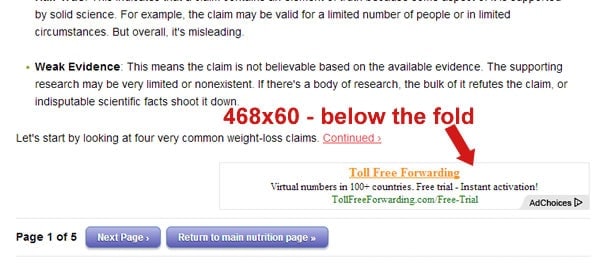
- Insert Banner Ads Into Your Text. Ads inserted into content can be very effective at attracting attention (and thus engagement). Here’s an example of a 300×250 ad that appears between two paragraphs of an article:

- Move Your Leaderboard Down. It’s common practice to put the leaderboard (728×90 ad unit) at the very top of the page, with the goal of making it be the very first thing people see. The drawback there is that as soon as visitors scroll down–which most do almost immediately–the ad unit is gone. Here’s an example of such an implementation:

That leaderboard is just about worthless; in order to view any of the content (not even the entire headline is above the fold) visitors need to scroll down and put the 728×90 ad unit out of view.
Here’s a better implementation, with the leaderboard much lower on the page:

- Ditch The Leaderboard. Almost every site that uses AdSense features a 728×90 leaderboard ad unit. While this size is very popular, it isn’t always the best performer because it is inherently separated from the content. Ad units that can be integrated into a site’s content, such as a 300×250, often perform better.
- Shift Right to Left. All else being equal, content on the left side of your site is viewed more than content on the right side (due to the fact that most of the world reads left to right). If you have a skyscraper on the right side of the page, try moving it left.
- Re-position Right Rail Ads. If you have a section of your right rail dedicated to ads, try moving it up and down relative to other content and measure the impact on earnings. For example, the screenshot below from CNN shows four of the “zones” in the right rail, with an ad in the first slot. An experiment could involve moving it to “zone 2” and measuring the impact.

- Align Ads With Content. In the image above, the 160×600 ad is adjacent to the intro video. Most visitors will skip to the start of the article, which puts the ad out of sight. Moving the ad down might actually be better in this case.
- Put Ads in the Comments Section. The comments section of a site is generally well below-the-fold, but typically received a very high level of engagement (which, of course, is good for ad visibility and earnings potential). SBNation.com is one example of a site that has implemented this layout:

- Shut Off Other Revenue Streams. We’d generally encourage running other types of monetization efforts besides traditional banner ads and link units, such as Outbrain. But it’s worthwhile to experiment with shutting these other efforts off and analyze the impact on AdSense performance. If low paying monetization implementations are cannibalizing higher paying opportunities, you could make more money by removing the laggards.
- Place Link Units in Side Rails. As mentioned above, link units are a great opportunity to increase the number of ads per page without hurting the overall user experience. There are a number of 90-pixel-tall link units that can fit easily into a sidebar, including variations that are 200, 180, and 160 pixels wide.
- Make Your Ads “Omnipresent.” By setting your CSS so that ads follow visitors around, you can increase their visibility on your site. We’ve got a primer on this topic for more details.
- Try an Above Article Mini Banner. Placing text ads at the beginning of an article can result in high visibility for visitors expecting to begin reading a piece of content. Here’s an example:

 Technical Tips
In addition to the forward facing design elements highlighted above, there are a number of “behind the scenes” tweaks that can be made to help the entire ad serving process run more smoothly. Maximizing your site’s speed, planning around the mobile appearance, and taking advantage of available reporting and analytics, you’ll be able to squeeze out some additional revenue.
- Optimize for Mobile Traffic. The percentage of your traffic coming from mobile devices is probably larger than you suspect, and it’s growing rapidly. Check out the ad experience for your mobile visitors; if it’s sub-optimal, there may be some quick wins you can pick up.
- Find a Mobile Friendly Ad Partner. Many ad networks now adjust ads automatically to render in a logical way in mobile browsers. To the right
is aMedia.net ad rendering on our site on an iPhone. There was no additional work required here; the same code that powers traditional desktop ads is powering this mobile-friendly ad.
- Put Top Performing Ad Unit First in HTML. Since ads are filled on a first come, first served basis by AdSense, having your best performer first in the HTML will ensure that it gets the best ad available.
- Use Asynchronous Ad Codes. There is a major benefit to having the ads and the rest of your site content load separately; this is an easy technical fix that will improve user experience and ad click rates.
- Max Out Your Load Speed. Slow loading ads drag down not only the performance of your AdSense, but of your overall site.
- Allow Multiple Ad Sizes For Your Ad Units. AdSense users are now able to give increased flexibility to ad units, allowing creative of different sizes to appear there and dynamically adjust the surrounding space to eliminate blank areas of your site. This would be very important when running experiments such as replacing a 728×90 with a 970×90.
- If Possible, Use Responsive Ads. Google now offers responsive AdSense code, meaning you can equip your site to dynamically change the size of ad units displayed based on the user’s screen.
- Try out Mobile Anchor Ads. AdSense now offers mobile partners a “mobile anchor ad” that sticks to the bottom of a screen when a user scrolls.
- Familiarize Yourself With AdSense Reporting. AdSense features an extremely detailed, flexible reporting interface. Understanding all the data available to you there can help you become a much better optimizer.
 Alternatives / Supplements
While many publishers tend to stick with one ad network, there’s no reason to limit your monetization opportunities. There are a number of additional networks out there that are capable of creating value, either as supplements or alternatives to AdSense. Unfortunately, a lot of the ad networks competing with AdSense have some pretty significant drawbacks, ranging from irrelevant ads to actually installing malware on your sites. Do your homework on these other options before you start.
- Supplement With Media.net. This is one of the best non-AdSense networks out there, offering flexibility, control, and even access to a support team (of real humans!). This network can run side-by-side with AdSense.
- Try Out Chitika (But Don’t Expect Much). This network is very easy to get up and running, as approval takes literally a few minutes. But the earnings potential is limited; you’re unlikely to get CPMs that come even close to AdSense.
- Don’t Use Clicksor. Though this ad network is somewhat popular, it’s not very impressive. The interface is difficult to use, you’ll get low quality ads, and you may end up with malware.
- Give Sponsored Content a Shot. Companies like Taboola and Outbrain offer publishers a way to monetize traffic by featuring content from other Web properties on your site.
- Turn Text Into Ads. Networks including InfoLinks allow publishers to turn their text into ad units. This will likely be a pretty small RPM boost, but for some publishers it will work very well.
- Bring Ads to Newsletters. If you have an email newsletter, you have another potential host for banner ads on your hands. While AdSense doesn’t offer this solution (yet), there are a few other partners out there. For smaller publishers, check out NewsletterDirectory.co.
- Other Creative Implementations. Display advertising has evolved a lot in recent years; there are now more opportunities than ever before. Try out some of the more creative solutions that fall under the display advertising umbrella.
 Inspiration
While we encourage you to get creative in your experiments and optimization strategies, there’s also no need to reinvent the wheel. Whenever you’re online, whether for business or pleasure, you should have your monetization hat on. Pay attention to implementations others are working; if it’s in use on their site, there’s a chance that it’s working pretty well for them (though it’s also very possible that they don’t think much about ad revenue optimization and have a sub-optimal strategy in place).
To get you started, below are several sites with AdSense implementations and strategies that we admire. Spend some time reviewing, and try out some of the best ideas you gather from this exercise:
- Digital Inspiration. In addition to being a creator of some great content Amit Agarwal is pretty bright when it comes to monetizing his site. He’s pretty active in experimenting, so be sure to check back often to see which ad techniques are in place.
- eHow. Beyond the standard banner ads, this site is pretty creative with ads within the content. (Here’s an example.)
- PerezHilton.com. Believe it or not, this celebrity gossip site actually does a pretty good job integrating display ads.
- DiscussCooking. This is a great site to check out if you’re looking to monetize forum traffic.
- About.com. This site features a wide range of content and relies primarily on ad networks to generate revenue. Check out numerous link units scattered throughout the content. (It may take you a while to figure out what is an ad and what’s a regular old link.)
- Chicago Tribune. As we pointed out in a feature story, this newspaper has embraced online monetization with some creative and aggressive strategies.
- Download.com. If you’ve ever used Download.com to get a needed program, odds are that you’ve clicked on an ad. This is partially attributable to the creative used by advertisers, but the layout of the site is certainly accommodating.
- WikiHow. This how-to site inserts text ads into articles in order to increase engagement.
- Answers.com. This site uses multiple display ad networks, including AdSense text ads positioned below the answers provided.
- Dictionary.com. From text ads to banners of various sizes to corner pop-ups, this site has a number of different ad implementation on display.
- GeekoSystem.com. This site does a good job incorporating multiple types of AdSense ads, Media.net keyword blocks, and multiple sponsored content partners, while maintaining a high quality appearance.
- Sizlopedia.com. We’d be a bit concerned about the lack of content above the fold if we were running this site, but this is a good example of effective use of link units.
- AdSense Success Stories. This official Google page highlights some inspiring AdSense success stories.
- (More) AdSense Success Stories. This collection of success stories is even better; there are details about the specific changes made to each to boost earnings.
- How I Made $13,490.50 With AdSense Last November. This inside look at ThanksgivingBlackFridayAds.com has some great insights into building a successful AdSense site.
- Other AdSense Optimizers. You probably noticed that a number of the sites suggested above are “how to” or encyclopedia type properties. These types of sites–ones that get huge amounts of traffic, monetize primarily through display ads, and feature relatively thin content–tend to be good at AdSense optimization. That’s because a big chunk of their traffic is “one and done,” landing on the site from a search engine and exiting after only a few seconds on site. So in order to be profitable, they need to be effective at getting these transient visitors to click on ads.
 Newsletters, Forums, Resources, and Expert Advice
There is a ridiculous amount of content out there on the topic of AdSense. While most of it is completely worthless (the countless articles with titles like “How to Quadruple Your AdSense Earnings in 30 Seconds”), there are a number of high quality resources that offer up actionable advice. Some of the best tools, newsletters, and forums include:
- Inside AdSense Blog. The official Google AdSense blog features a ton of content for publishers, including tutorials and tips for maximizing earnings.
- AdSense Experts. This forum is designed for advanced AdSense users to share strategies. (You’ll have to pass a test before you can join to demonstrate you know enough to be able to contribute to the conversation.)
- AdSense Community on Google+. This unofficial Google+ community has more than 1,000 members, and serves as another place for AdSense publishers to bounce ideas off their peers.
- A Blogger’s Guide to Earning More with Google AdSense. John Saddington’s 32-part series on AdSense strategies is a great read.
- JenSense. This blog isn’t updated regularly anymore, but the Optimization Bootcamp section contains some very valuable evergreen information.
- AdSense in English Google Product Forum. This forum is one of the more popular places on the Web where AdSense users congregate to share advice and ask questions of one another.
- AdSense Forum on WebmasterWorld.com. This is another forum with a large user base; questions asked here will generally be answered very, very quickly.
- AdSense / PPC / SEO Forum on WarriorForum.com. The Warrior Forum is a great place to ask any question about the Web, including discussions on AdSense troubles or opportunities.
- AdSense Heatmap. This “oldie but goodie” is one of the most important images any AdSense publisher can reference. Make yourself familiar with this document!
- AdSense Academy. Google’s official AdSense academy features six different learning modules designed to teach you everything there is to know about AdSense.
- AdSense Webinars. Google holds regular webinars covering a wide range of topics, and has them available for playback afterwards.
- Quora Google AdSense Section. Quora is a great resource for just about any topic, and Google AdSense is no exception.
- AdPushup. This service, currently in beta, is designed to help website owners test different ad layouts on their site. For more on the idea here, check out our interview with AdPushup’s founder.
- Where to Place My Ads? This service is gearing up for a beta phase, so it’s hard to evaluate the usefulness. If it’s able to accomplish its stated objective, it would help determine the optimal positioning of ads.
- AdSense Certified Partners. There are a number of AdSense approved partners who have the experience and training to help publishers increase their revenue.
 Further Reading: AdSense Plug-Ins
For publishers using WordPress or other content management systems, there are various plug-ins that can make it easier to inject ad code and run experiments.
Since we haven’t reviewed many of the AdSense plugins available, below we link to some folks who have (and who have some useful feedback on the products they tested):
- 5 WordPress AdSense Plugins tested. Thomas Maier reviews Ad Injection, AdRotate, Google AdSense Plugin, Simple Ads Manager, and Quick AdSense.
- Google’s Publisher Plugin. Emil Protalinski gives a good overview of one of a new plugin offered by Google.
- Beware Of “Free” Google AdSense WordPress Plugins. Dan Vuksanovich highlights some of the shady aspects of AdSense plugins, and reviews one he found to be wholly legitimate.
 Further Reading
To round out the AdSense tutorial, below are some of the best articles from around the Web with valuable insights about earning more from ads.
- Beginner’s Guide to Google AdSense for Publishers. Jacob Klein has a thorough overview of AdSense that goes well beyond beginner level (despite what the title may indicate).
- 3 AdSense Design Best Practices to Consider When Optimizing. John Saddington provides an overview of how the design elements of AdSense impact click rates and earnings.
- An SEO Guide to Adsense, Ads and Placement. Cyrus Shepard offers a primer in the relationship between ads and search rankings, a critical factor to consider in the site layout process.
- Optimizing Google AdSense Link Units. This intro to link units has a number of quick suggestions to boost revenue.
- F-Shaped Pattern For Reading Web Content. A review of Web content consumption patterns will help you to better position ads and organize your site.
- Understanding the F-Layout in Web Design. This additional explanation of the F layout concept drives home the impact design can have on performance.
- Increase your AdSense Income with Google DFP. This article by Amit Agarwal gives an overview of a quick experiment that had some success on his site.
- How Much Traffic Do You Need To Make $100,000 With Google AdSense. This look at the economics of an AdSense site is useful for putting the revenue opportunity into perspective.
- Google’s Economic Impact. This lengthy PDF report is an interesting skim; it highlights some success stories and gives a sense of the massive reach of AdSense.
- 5 Simple AdSense Layout Examples. Spencer Haws has some specific ideas on page layout strategies that work well with AdSense.
- Best Ad Networks (2014 Update). This feature is one of the most popular pages on our site, giving an overview of many of the largest ad networks out there.
- 10 AdSense Terms & Definitions Every Blogger Should Know. This one is pretty self explanatory: 10 terms you’ve probably heard, but might not understand.
- 8 Tips To Run an Effective AdSense Experiment. Before you dive in to the experiment process, read some of our tips for getting the most out of it.
- Seven AdSense Experiments. In addition to the experiments highlighted above, check we’ve got a few more in this feature article.
 What Not To Do (AKA, How to Get Banned)
We’ve spent most of this article laying out what publishers should do when it comes to getting the most out of AdSense. We’ll wrap up with a brief review of what not to do (beyond the obvious ones like click fraud) when experimenting and optimizing your display ad revenue stream.
- Disguise Your Ads. This one is difficult to define, since there are countless potential implementations and variations of ads on a site. As a rule of thumb, your ads should never be deceptive. It should always be clear to visitors that ads are ads; if you give the impression they’re clicking to a different section of your site, you’re misleading them and may be subject to penalty.
- Run Too Many Ads. The restrictions on ad units remain somewhat low; publishers can only include three ad units per page (in addition to link units and search boxes). For many partners, it would be easy to include four or more ad units without cluttering up the page–but unfortunately you’ll have to resist that temptation.
- Talk About Your Ads. Google won’t let you share too much about your successes or struggles; according to their terms, publishers aren’t allowed to share confidential information such as CPMs or CTRs. There is some ability to discuss relative performance (e.g., the percentage change in earnings resulting from a change you made), but avoid disclosing specific amounts and rates.
- Think Short Term. For most publishers, there are opportunities to generate some additional earnings immediately that come at the expense of the user experience and the long term prospects of the site. It’s important to keep an eye on other metrics that may be impacted by your AdSense experiments, such as time on site and bounce rate.
Bottom Line
While there are millions of websites out there that use ad networks to monetize their existing traffic, there are very few that put significant thought and effort into the process. Even modest improvements in a few key performance metrics can lead to significant jumps in bottom line earnings, especially over time as traffic grows. Optimizing remnant display ad inventory is a big investment, but comes with equally large potential.